Most restaurants now collect WhatsApp numbers. Very few turn them into predictable repeat orders instead of one-off blasts that customers mute in a week.
This tutorial breaks down restaurant WhatsApp marketing as a real revenue channel: how to segment guests, design campaigns, and automate follow-ups so you see more second, third, and tenth orders—not just “Seen” ticks.
We’ll walk step by step through strategy, examples, and message templates you can adapt today. If you already use WhatsApp for ordering, you can plug these ideas directly into your flows or into a platform like Waitwhiz.
For a broader view of how AI and automation fit into your tech stack, see our restaurant automation checklist alongside this guide.
Why WhatsApp is different from email or Instagram for restaurants
WhatsApp sits between a marketing channel and a service channel. Guests expect:
Fast, conversational responses (like chat, not like a newsletter)
Utility (order status, quick menu, table booking) more than pretty content
Relevance (offers that match what they actually order)
That’s why a “copy-paste from email” approach fails. The restaurants winning with WhatsApp marketing use it as a two-way, personalized assistant, not just a broadcast list.
When you combine that with restaurant marketing automation and basic CRM, WhatsApp becomes one of your highest-ROI channels for repeat orders.
The foundation: clean data and clear consent
Before you launch campaigns, make sure you can answer these questions:
Do we have explicit opt-in to message guests on WhatsApp?
Can we see each guest’s order history and visit frequency?
Do we know which guests prefer delivery, pickup, or dine-in?
Do we capture location or outlet when relevant?
If you don’t, your first step is to connect WhatsApp with a basic CRM. Platforms like Waitwhiz or dedicated restaurant CRM and loyalty systems with AI can centralize this without extra manual work.
Collect WhatsApp numbers the right way
Good sources of opted-in numbers:
WhatsApp ordering: guests message to place orders, and you ask consent during the flow.
Table tents / QR codes: “Send ‘MENU’ on WhatsApp to see today’s specials and get a welcome offer.”
Bill folders: “Save our WhatsApp for faster re-orders & exclusive deals.”
Website and Instagram: “Order on WhatsApp” buttons that open a chat with a pre-filled message.
Always make it clear what they’re opting into: order updates, support, and occasional personalized offers.
Segmenting your WhatsApp audience for restaurant use cases
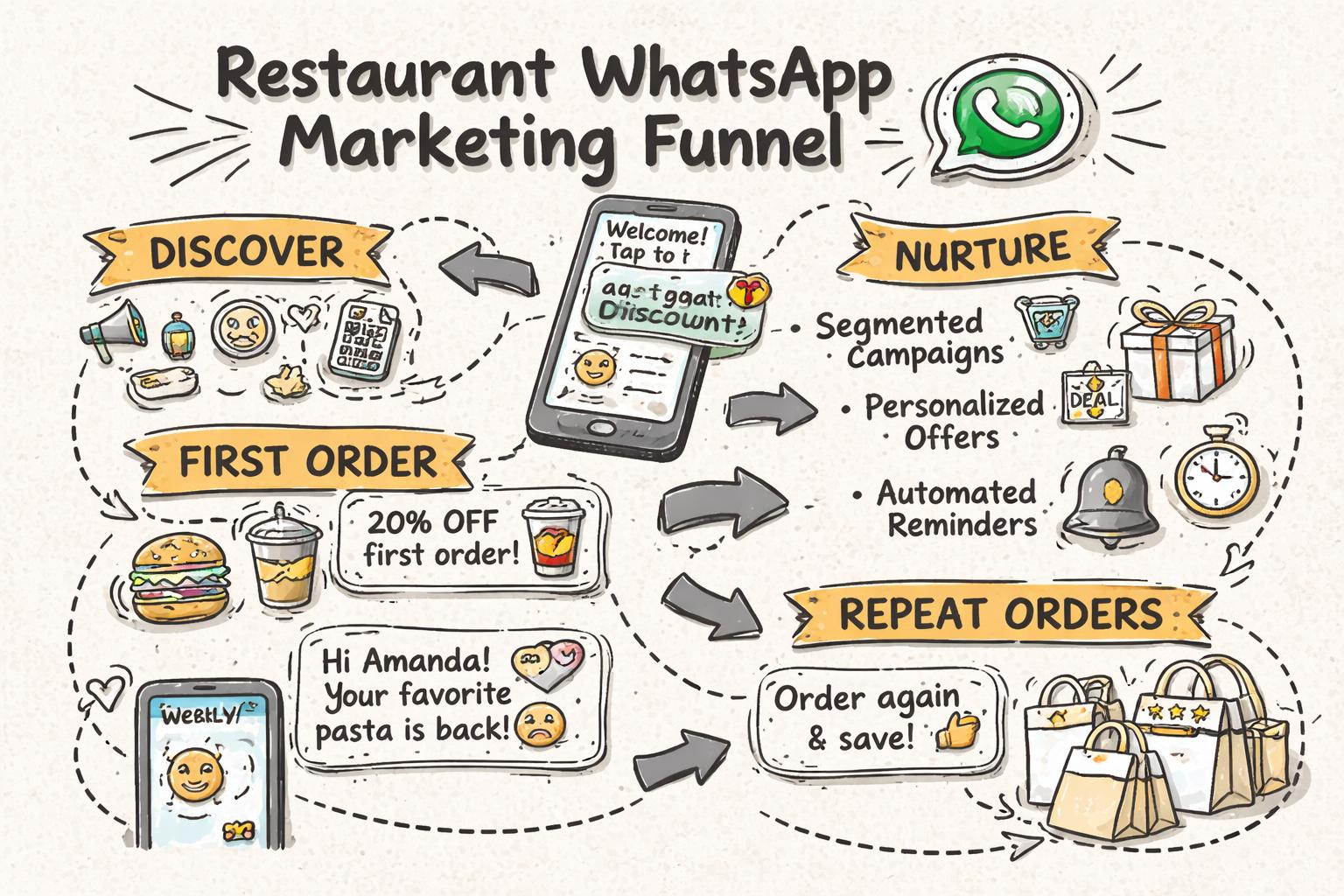
Segmentation is where restaurant WhatsApp marketing stops being spam and starts being profitable. At minimum, create these segments:
1. New guests (first order or first visit)
Definition: Guests who ordered or visited for the first time in the last 7–14 days.
Goal: Get the second order or visit as quickly as possible.
Example flow:
Day 0: “Thanks for ordering with us today! Save this chat to reorder in seconds next time.”
Day 3–4: “Hey [Name], hope you enjoyed your [dish]. Next time you crave it, just message ‘REORDER’ here and we’ll handle the rest.”
Day 7: Small incentive: “Still thinking about [dish]? This week we’re giving 10% off on your next WhatsApp order. Just reply ‘10OFF’ to apply it.”
2. Regulars vs at-risk guests
Definition examples:
Goal: Keep regulars feeling appreciated, and win back at-risk guests with timely nudges.
Campaign ideas:
Regulars: “You’re one of our top guests this month. Next time you order on WhatsApp, dessert is on us. Just mention ‘VIP’ when you message.”
At-risk: “We haven’t seen you in a while, [Name]. We’ve added a couple of new dishes you might like based on your last orders. Want to see the updated menu here?”
3. Preference-based segments (veg/non-veg, cuisine, time of day)
Use past orders or a simple onboarding question: “Do you prefer veg, non-veg, or both?”
Segment examples:
Veg-only customers: Highlight veg combos, new veg dishes, and meat-free days.
Lunch vs dinner buyers: Send lunch offers between 11:00–12:00; dinner nudges from 6:00–7:00.
Cuisine fans (e.g., pizza lovers, biryani fans, coffee regulars): Campaigns around their favorite items.
4. Channel preference: delivery, pickup, or dine-in
Don’t send delivery coupons to dine-in loyalists. Instead:
Delivery-first guests: Free delivery thresholds, bundle deals.
Pickup guests: “Skip the line” offers, quick pickup combos.
Dine-in guests: Reservation reminders, early access to events, table-only specials.
This kind of segmentation is much easier if you use AI for restaurant automation that already tracks orders and guest behavior.
Designing WhatsApp campaigns that don’t get muted
Once segments are in place, focus on message quality and frequency.
Principles of effective WhatsApp campaigns for restaurants
One clear objective per message: reorder, reserve, try a new item, join an event.
Make it conversational: Ask simple questions, use quick replies (e.g., “1) Show menu 2) Reorder last 3) Talk to staff”).
Limit frequency: For most restaurants, 2–4 promotional campaigns per month per guest segment is plenty.
Always add utility: Menu shortcuts, live support, or re-order buttons, not just offers.
1. “Reorder in 10 seconds” campaign
Target: Guests who ordered in the last 30 days.
Message template:
Hey [Name], next time you crave [Last Dish], just reply REORDER here.

We'll pull up your last order and confirm it in chat. No app, no calls.

Want to see your last 3 orders instead? Reply HISTORY.
Why it works: Reduces friction. According to McKinsey research on digital ordering, convenience and speed are now primary drivers of loyalty, often more than price.
2. “New menu, personalized” drop
Target: Regulars, segmented by cuisine or category preferences.
Message template:
Hi [Name], we've added a couple of new [Cuisine/Category] dishes we think you'll like based on your last orders.

Want a quick peek?

1) Show me veg options
2) Show me non-veg
3) Surprise me
With an AI chatbot for restaurants connected to your menu, you can dynamically show items based on their order history instead of sending one static image.
3. “Rainy day / game night” trigger campaigns
Target: Delivery-first segments in specific areas.
Idea: Use weather or event triggers—rainy evenings, big match nights, local festivals—to send contextual offers.
Example:
Looks like perfect weather to stay in, [Name] 🌧️

Order any 2 pizzas on WhatsApp tonight and we'll add garlic bread free.

Reply PIZZA to see combos.
You can automate these with simple rules in a restaurant automation platform—e.g., trigger a WhatsApp campaign to delivery customers when rain is detected in your delivery radius.
4. “At-risk win-back” series
Target: Guests who haven’t ordered in 30–60 days.
Flow:
Message 1: Soft nudge with menu and new items.
Message 2 (after 3–5 days if no response): Small incentive or limited-time combo.
Message 3: Ask for feedback (“Anything we could improve?”).
Template for Message 1:
Hey [Name], it's been a while since your last order.

We've added a few new dishes we think you'll like. Want to browse the updated menu here on WhatsApp?

1) Yes, show me
2) Not right now
Turning WhatsApp into an always-on ordering channel
The biggest unlock is when WhatsApp is not just for campaigns but for 24/7 ordering and support.
AI WhatsApp ordering vs manual chat
Manual WhatsApp ordering can work for low volume, but it breaks when:
Staff are busy during rush hours and miss messages
Orders get lost in chat threads
Menu changes aren’t updated consistently
With AI-powered WhatsApp ordering for restaurants, a chatbot guides guests through the entire flow:
Shows updated menu and recommendations
Captures address, preferences, and payment method
Confirms order and sends status updates
This reduces staff load and gives you structured data for better segmentation.
Best practices for WhatsApp customer support for restaurants
Guests will use the same WhatsApp thread for:
Order issues (“Rider is late”, “Wrong item”)
Menu questions (“Is this dish gluten-free?”)
Reservations and group bookings
Use an AI assistant to handle FAQs and simple issues, and route complex cases to staff. Our deeper guide on AI chatbots for restaurants covers where automation works and where humans are still essential.
Automated lifecycle flows: where repeat orders really come from
Broadcast campaigns are useful, but the most consistent repeat revenue usually comes from automated flows that run in the background.
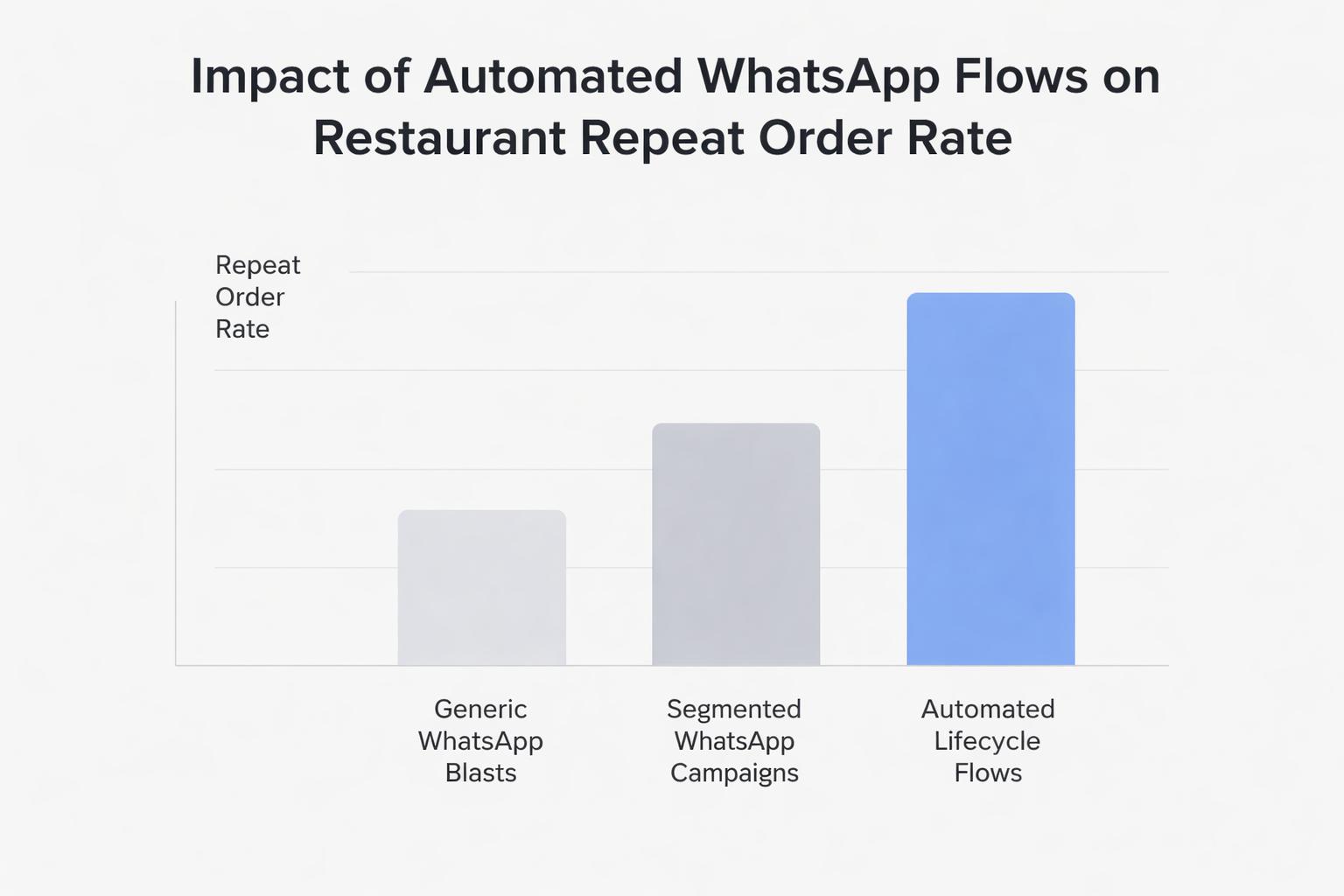
Think of these as “set it once, improve over time” journeys.
1. Welcome & first-order nurture flow
Trigger: Guest starts a WhatsApp conversation or opts in via QR code.
Flow outline:
Message 1 (Instant): Welcome + how to use WhatsApp with you (order, support, reservations).
Message 2 (After 1–2 days): Highlight bestsellers or combos.
Message 3 (After 5–7 days if no order): Gentle incentive to place first order.
2. Post-order feedback and upsell flow
Trigger: Order marked as delivered or bill closed.
Flow outline:
Message 1 (30–60 minutes after): Quick satisfaction check + rating.
Message 2 (If positive): Encourage re-order or review on public platforms.
Message 3 (After a few days): Personalized suggestion based on what they ordered.
This can be combined with AI voice calls for delivery confirmation, as covered in our guide to AI voice calling for food delivery.
3. Inactivity / win-back flow
Trigger: No order or visit for X days (you choose the threshold).
Flow outline:
Message 1: “We miss you” + updated menu.
Message 2: Small, time-bound incentive.
Message 3: Feedback request if they still don’t return.
4. Occasion-based flows (birthdays, anniversaries, weekends)
With even basic CRM data, you can automate:
Birthday greetings with a dessert or drink on the house
Anniversary or milestone visits (e.g., “1 year since your first order with us”)
Weekend reminders for brunch or specials
Research from Bain & Company on customer loyalty shows that even small increases in repeat purchase rates can significantly boost profit—these flows are how you operationalize that on WhatsApp.
How to measure WhatsApp marketing success for your restaurant
To treat WhatsApp as a serious channel, track a few key metrics:
Opt-in rate: % of guests who agree to receive WhatsApp messages.
First-to-second order conversion: Of people who order once, how many come back within 30 days?
Repeat order rate: % of monthly orders from returning guests.
Campaign response rate: Replies, menu views, or orders driven by each campaign.
Unsubscribe / mute signals: Guests asking to stop promotions or going inactive.
Restaurant-focused platforms like Waitwhiz can attribute orders to specific WhatsApp flows and campaigns so you know what’s actually driving revenue.
Putting it all together: a 30-day WhatsApp marketing plan
If you’re starting from scratch, here’s a simple rollout plan.
Week 1: Setup and data
Connect WhatsApp to your ordering and POS system (or set up an AI WhatsApp bot).
Define basic segments: new guests, regulars, at-risk, delivery vs dine-in.
Update QR codes, table tents, and social links to push guests toward WhatsApp.
Week 2: Launch always-on flows
Set up welcome flow for new contacts.
Set up post-order feedback and re-order prompts.
Test AI answers for 20–30 common questions (timings, parking, allergens, etc.).
Week 3: First segmented campaigns
Run a “Reorder in 10 seconds” campaign to recent buyers.
Run a “We miss you” win-back to at-risk guests.
Track response and order lift for each segment.
Week 4: Optimize and expand
Adjust timing and incentives based on results.
Add 1–2 occasion-based flows (birthdays, weekends).
Refine AI flows for ordering and support based on real conversations.
You can run simple WhatsApp campaigns manually, but as volume grows you’ll want:
AI-powered WhatsApp ordering that understands your menu and modifiers
Restaurant WhatsApp marketing automation with lifecycle flows and segmentation
Integrated CRM and loyalty so every message is based on real behavior
AI customer support that handles FAQs and routes complex issues to staff
Waitwhiz was built specifically for restaurants and cafés to handle all of this over WhatsApp and voice, powered by a restaurant-trained LLM. Combined with the strategies in this guide, it helps you move from generic blasts to personalized, automated WhatsApp journeys that reliably drive repeat orders.
If you’re already exploring AI and automation, pair this tutorial with our practical guide to AI for restaurants to design a full funnel—from discovery to loyalty—around the channels your guests already use every day.